Run it.
Read it.
Keep it.
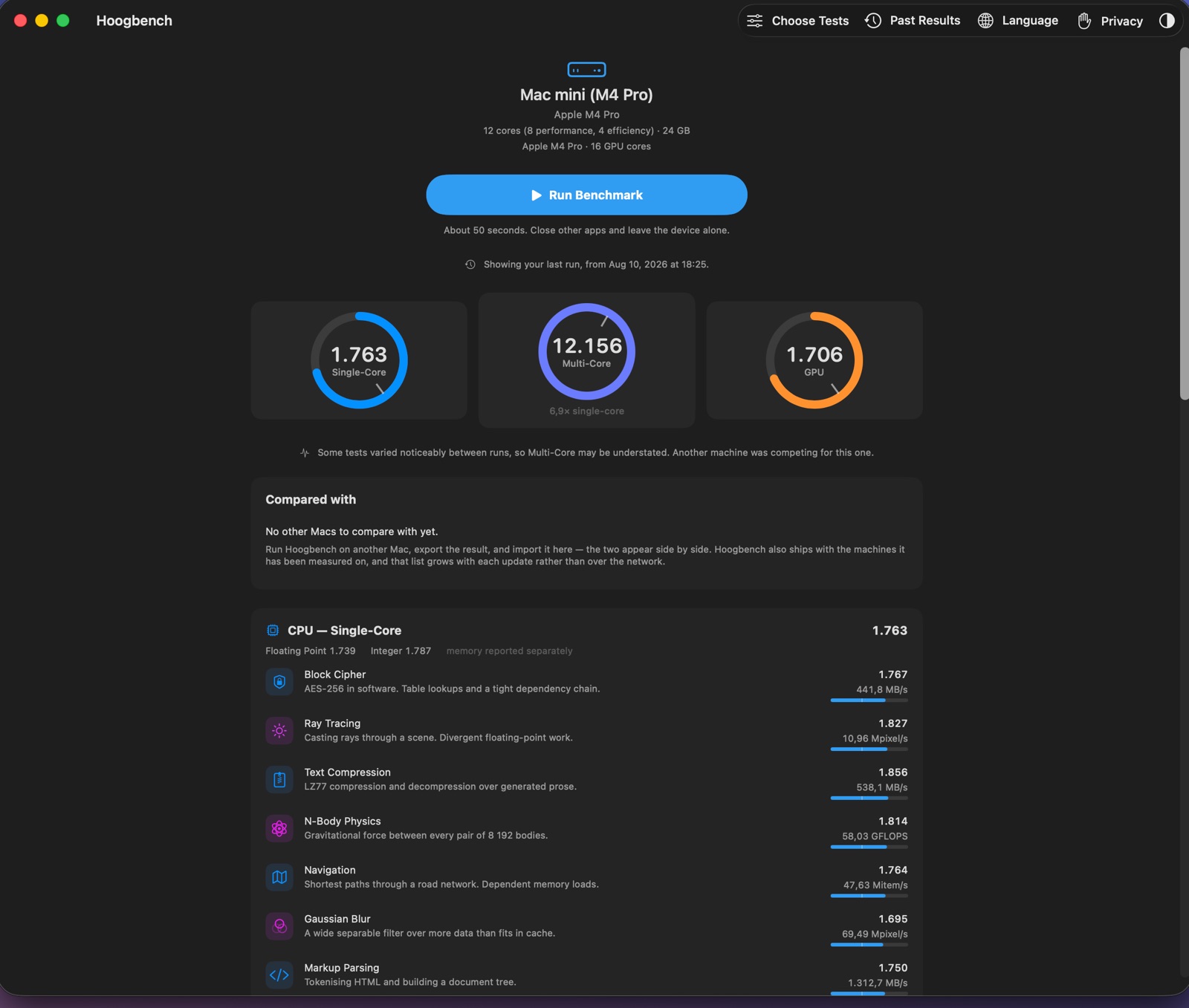
A benchmark for Apple silicon Macs. Twenty tests of what your processor and graphics can really do, in about fifty seconds. Nothing is collected, nothing is sent, and your results stay on the Mac that made them.
Coming to the Mac App StoreOne-time purchase No subscription, no account, nothing to buy inside the app
Requires a Mac with Apple silicon running macOS 15 or later.
English · Français · Deutsch · Nederlands · Polski · Italiano · Español (ES) · Español (MX) · Português (BR) · Türkçe · Ελληνικά · Eesti
Privacy
It cannot reach the internet.
There is nothing to switch off.
Most benchmarks send every result to a public web page, and some will not show you a score until you let them. Your computer, its hardware and how fast it runs end up in somebody else's database, next to a number they chose.
Hoogbench does the opposite, and not as a setting you have to find. The app contains no code that can use the internet, and macOS does not give it permission to use the internet either.
The permissions an app is granted are recorded inside the app itself, where anyone can check them. Hoogbench's list has exactly two entries: run in a sandbox, and write to the file you pick when you press Export.
Your results are kept in the app's own storage on your Mac. Deleting the app deletes them.
- No internet access, incoming or outgoing.
- No account, no login, no sign-in.
- No tracking, no crash reporting, no usage statistics.
- No code from anyone else.
- No advertising.
- Nothing uploaded, and no public scoreboard.
The numbers
What 1000 points means
1000 points is a fixed, published speed — a table of round numbers, not a particular computer. A Mac that reaches exactly those speeds scores 1000. One that is twice as fast scores 2000.
There is no maximum, and no reference computer that will look embarrassing in three years.
The multi-core score is measured against the same single-core speeds, so when the app tells you 7.4× single-core, that is a fact about your Mac and not something the maths invented.
Memory speed is measured and shown, but kept out of the score. Latency and bandwidth describe a machine; folding them into a number about computation would blur the very thing the tests exist to separate.
The tests
Twenty of them, and they measure the cores
Twelve processor tests — six on whole numbers, six on decimals — each run twice: once on a single core, then again using every core at the same time. Eight more tests run on the graphics processor.
The two kinds of test take turns instead of running in two blocks, so a Mac that slows down as it warms up does not end up with a lower score for whatever happened to be measured last.
Every test gives the same answer each time it runs on the same Mac. That is how you can tell the numbers are real and not noise, and it is checked automatically on every build.
None of the tests use Apple's ready-made maths libraries, because those run on a separate part of the chip that Apple improves on its own schedule. A new Mac can look twice as fast in those libraries without a single core actually being faster.